
Your cart is currently empty.
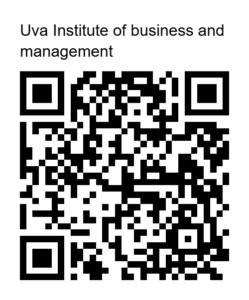
If the PayPal button is not functioning correctly, please use the QR code below to complete your payment. Once the transaction is successful, please share the confirmation receipt with us to finalize your enrollment.Info@uibm.lk
PayPal බොත්තම (Button) හරහා ගෙවීම් කිරීමට අපහසුතාවයක් පවතී නම්, කරුණාකර පහත දැක්වෙන QR කේතය ස්කෑන් (Scan) කිරීම මගින් ඔබේ ගෙවීම සිදු කරන්න. ගෙවීම සාර්ථක වූ පසු, ලියාපදිංචිය තහවුරු කිරීම සඳහා එහි රිසිට්පත අප වෙත යොමු කරන්න.Info@uibm.lk
Student Guide: Course Ordering & Learning Process
Part 1: Order & Payment Slip Upload Process
- Select Course & Proceed to Checkout: Navigate to Our Courses, select your desired course, and click Buy Now or Add to Cart, then go to Checkout.
- Enter Student Details: Fill in your First Name, Last Name, Phone Number, and Email Address (Ensure your email is typed correctly as course access notifications are sent here).
- Select Payment Method: Choose Direct Bank Transfer (BACS) as your payment option and note down the UIBM bank account details.
- Make Payment & Upload Slip: Transfer the course fee via your Bank App or deposit at any bank branch. Under the Bank Deposit Slip Upload section, upload your receipt (JPG/PNG/PDF) and wait for the green "✅ Slip uploaded successfully!" message.
- Place Order: Click Place Order. You will see the "⏳ Pending Course Approval" confirmation screen while our administrative team verifies your transfer.
Part 2: Approval & Learning Access Process
- Receive Confirmation Email: Once verified, you will receive an automated email titled "🎉 Your Course Access Approved! - Start Learning Now".
- Click Login Link: Open the email and click the green Log In to Dashboard button.
- Log In to Student Portal: Enter your Username/Email and Password to log into your UIBM account.
- Start Learning: Go to your Student Dashboard > Enrolled Courses, click on your course, and begin watching your lessons immediately!
සිසුන් සඳහා මගපෙන්වීම: පාඨමාලාව ඇනවුම් කිරීම සහ හැදෑරීම
පියවර 1: පාඨමාලාව ඇනවුම් කිරීම සහ Bank Slip එක Upload කිරීම
- පාඨමාලාව තේරීම සහ Checkout වීම: Our Courses පිටුවට ගොස් ඔබට අවශ්ය පාඨමාලාව තෝරා Buy Now හෝ Add to Cart ක්ලික් කර Checkout පිටුව වෙත යන්න.
- ශිෂ්ය තොරතුරු ඇතුළත් කිරීම: ඔබේ මුල් නම, වාසගම, දුරකථන අංකය සහ නිවැරදි Email ලිපිනය ඇතුළත් කරන්න (පාඨමාලා ප්රවේශය ලැබෙන්නේ මෙම Email එකට බැවින් එය නිවැරදිදැයි තහවුරු කරගන්න).
- ගෙවීම් ක්රමය තේරීම: Payment Method එක ලෙස Direct Bank Transfer (BACS) තෝරා තිරයේ දිස්වන UIBM බැංකු ගිණුම් විස්තර ලබාගන්න.
- මුදල් ගෙවීම සහ Slip එක Upload කිරීම: Bank App එක හරහා Online Transfer කර හෝ බැංකුවට ගොස් මුදල් තැන්පත් කරන්න. Bank Deposit Slip Upload කොටසින් Slip එක Upload කර "✅ Slip uploaded successfully!" ලෙස වැටෙන තෙක් තත්පර කිහිපයක් රැඳී සිටින්න.
- Order එක තහවුරු කිරීම: Place Order ක්ලික් කරන්න. Slip එක පරීක්ෂා කරන තෙක් "⏳ Pending Course Approval" පණිවිඩය දිස්වනු ඇත.
පියවර 2: අනුමැතිය ලබාගැනීම සහ ඉගෙනුම ආරම්භ කිරීම
- අනුමත Email පණිවිඩය ලැබීම: බැංකු තැන්පතුව තහවුරු කළ පසු ඔබේ Email එකට "🎉 Your Course Access Approved! - Start Learning Now" Email එක ලැබෙනු ඇත.
- Log In Link එක ක්ලික් කිරීම: Email එකේ ඇති කොළ පාට Log In to Dashboard බටන් එක ක්ලික් කරන්න.
- Student Portal එකට Log වීම: ඔබේ Email/Username සහ Password ඇතුළත් කර UIBM ගිණුමට Log In වන්න.
- පාඨමාලාව ආරම්භ කිරීම: ඔබේ Student Dashboard > Enrolled Courses වෙත ගොස් අදාළ Course එක මත ක්ලික් කර පාඩම් හැදෑරීම එසැනින්ම ආරම්භ කරන්න!
